How to Track an Amazon Order
Updated 2026-08-039 min readMarketplace orders
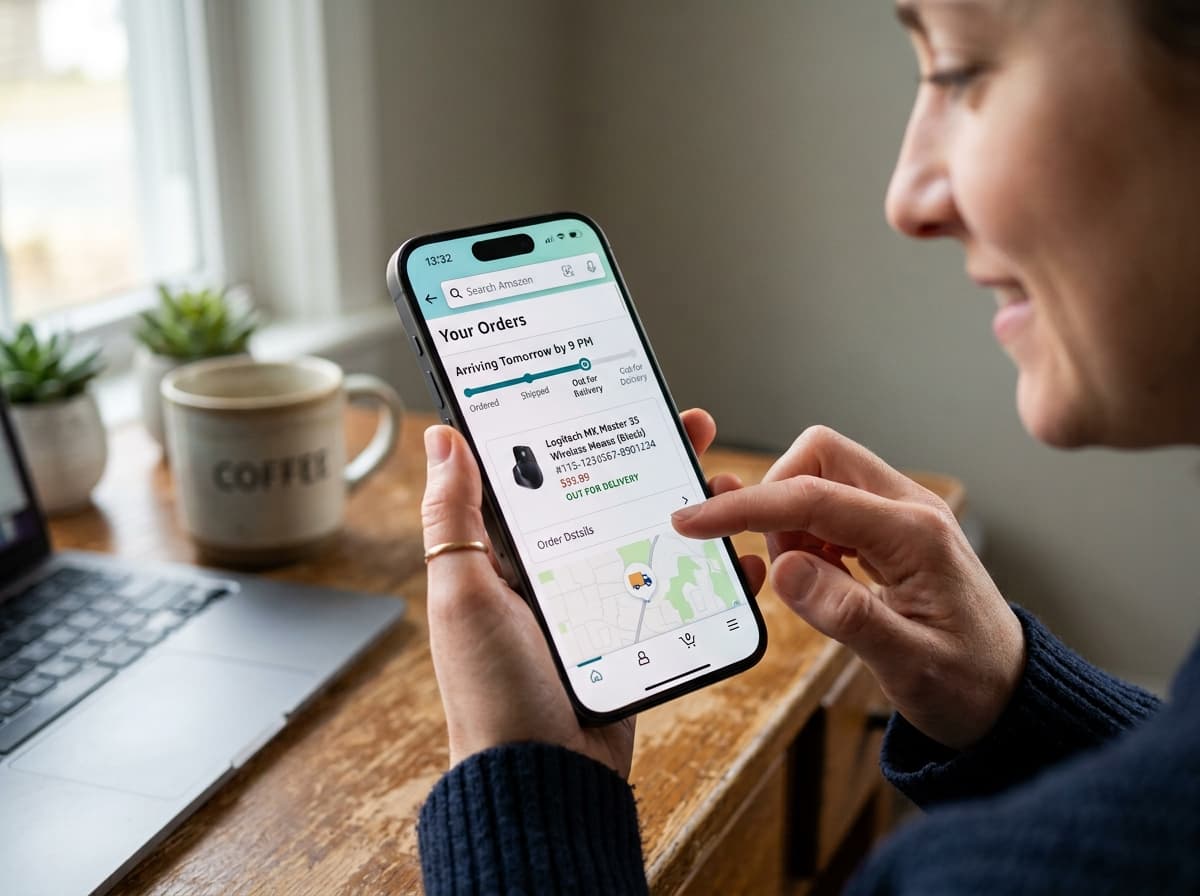
Amazon orders carry one of two kinds of tracking number, and which one you have decides where you can track it. A TBA number belongs to Amazon's own delivery network and works only inside Amazon. A standard carrier number — a 1Z, a 20-digit postal number, a 12-digit courier number — works anywhere, including here.
Look at the number first. Everything else follows from what it starts with.
Finding the number
Open your orders, select the order, and choose the tracking option. The number is shown on the tracking page, along with the carrier's name where a third-party carrier is involved.
On the app the same information sits under the order, and the map view appears when the parcel is on a vehicle within the final few stops.
If no number is shown, the order has not been dispatched yet. Amazon marks orders as shipped when the label is generated, and the tracking usually shows nothing for 12 to 48 hours afterwards until the parcel is physically scanned. That gap is normal and is not a sign of a problem, as our guide on tracking numbers that say not found explains.
The two kinds of number
| Number format | Carrier | Where it can be tracked |
|---|---|---|
TBA + 12 digits | Amazon Logistics | Amazon only |
1Z + 16 characters | UPS | Anywhere |
20 or 22 digits starting 92/93/94 | USPS | Anywhere |
| 12 or 15 digits | FedEx | Anywhere |
10 + 10 digits | DHL eCommerce | Anywhere |
| Two letters + 9 digits + two letters | International post | Anywhere |
H + digits, or a long alphanumeric | Regional last-mile carrier | Usually anywhere |
A TBA number is the one that causes confusion. It is a genuine tracking number, but Amazon Logistics is not a public carrier and does not publish a tracking endpoint. There is no third-party service that can read it — not this one, not any other. If a site claims to track TBA numbers, it is showing you nothing.
Everything else can be checked on our home page by pasting the number in and leaving the carrier field empty. The format identifies itself, as our guide on identifying a carrier from a tracking number describes.
Who is actually delivering it
Amazon uses four different delivery models, and the tracking experience differs across them.
Amazon Logistics is Amazon's own network — the branded vans and the contracted delivery partners. TBA number, Amazon-only tracking, and the most detailed live map when the parcel is close.
National carriers handle a large share of deliveries, particularly in areas Amazon's own network does not cover densely. USPS, UPS and FedEx in the United States; Royal Mail and Evri in the United Kingdom; equivalents elsewhere. Standard number, trackable anywhere.
Third-party sellers shipping themselves. The seller buys the label from whichever carrier they use and uploads the number. This can be any carrier at all, including small regional ones.
Amazon shipping services used by sellers, where a merchant fulfils their own orders but buys labels through Amazon's shipping programme. These behave like Amazon Logistics parcels.
You can usually tell which model applies from the order page, and the carrier name is shown where one exists.
Sold by Amazon, or by a seller?
This distinction decides who you talk to when something goes wrong, and it is worth checking before you contact anyone.
Shipped by Amazon — either Amazon's own stock or a seller using Amazon's fulfilment. Amazon handles the delivery, the tracking and any problem. Contact Amazon.
Shipped by the seller — the seller controls the carrier, the tracking and the dispatch. Amazon's guarantee still applies to the order, but the seller is the first point of contact for a tracking question.
The order page states which applies. Contacting the wrong party is the most common reason a simple query takes three days instead of ten minutes.
Marked delivered but nothing arrived
This is the most common Amazon tracking problem, and it has a specific sequence that works.
Check the delivery photo. Amazon Logistics drivers photograph the drop point, and the photo appears in the order details. It frequently shows the parcel somewhere you have not looked — a side gate, behind a bin, a porch you do not use.
Wait 24 hours. Drivers sometimes scan parcels as delivered before completing the round, and a meaningful share of "delivered but missing" parcels arrive the following day.
Check with neighbours and any building reception. In flats, parcels routinely go to a concierge without that being recorded clearly.
Then report it through the order page. There is a specific option for a parcel marked delivered that did not arrive, and it is faster than contacting the carrier — for a TBA parcel the carrier is Amazon anyway.
Report promptly. Claims have a window, and it is shorter than people assume. Our guide on tracking that says delivered when nothing arrived covers the general case, including what to do when a standard carrier delivered it.
The delivery window and what it promises
Amazon shows an estimated delivery date, and for most orders a delivery window on the day itself.
That estimate is a commitment for guaranteed and premium services, and an estimate for everything else. Where a delivery date is guaranteed and missed, the delivery fee is normally refundable on request — but it has to be requested, because it is not applied automatically.
The window on the day narrows as the round progresses, and the map view appears once the parcel is a few stops away. Neither is available for parcels carried by a third-party carrier, where you get the carrier's own tracking instead.
If the date passes with no delivery and no update, our guide on what to do when a package is delayed sets out the sequence.
Orders that split into several parcels
A single order frequently ships as several parcels, from different locations, arriving on different days.
Each parcel gets its own tracking number and its own delivery estimate. The order page groups them, but the grouping is easy to miss on a long order, and people report a missing item that is simply in a parcel arriving on Thursday.
Check the order page for the number of shipments before concluding that something is missing. If one shipment shows no tracking at all while others have progressed, that is the one to ask about.
Lockers, counters and pickup points
Delivering to a locker or a partnered shop changes the tracking pattern, and the change confuses people the first time.
The parcel is tracked to the pickup location, not to your home. When it arrives, the status shows as ready for collection rather than delivered, and you receive a code. The delivery scan that normally ends the journey does not appear until you collect it, or in some cases appears at the point of deposit.
Collection windows are limited, commonly around three days for a locker and longer for a staffed counter. Miss it and the parcel returns automatically, which shows in tracking as a return rather than a failure.
Two reasons to use them anyway. They remove the doorstep-theft problem entirely, which is the failure mode behind most missing-parcel reports. And they avoid the residential delivery pattern that makes home delivery slower in dense urban areas.
Same-day, scheduled and grouped deliveries
Amazon offers several delivery patterns beyond standard, and each produces different tracking.
Same-day and rapid delivery produce very little tracking. The parcel moves through a local facility and onto a van within hours, so there are few scans and the map view appears almost immediately. Sparse tracking here means fast, not stalled.
Scheduled or grouped delivery, where several orders are held and delivered together on a chosen day, shows each item as awaiting dispatch until the grouping date approaches. Items appearing not to move for a week are behaving exactly as configured.
Fresh and grocery orders are handled by a separate operation with slot-based delivery and their own status flow. They do not appear in standard parcel tracking at all.
If an order seems to have stopped, check which of these applies before treating it as a problem — three of the four look like a stall and are not.
Tracking a return
Returns get their own tracking, and it works differently from the outbound parcel.
When you start a return, the label or QR code you receive carries a new number, usually from a standard carrier rather than Amazon Logistics. That number tracks normally, including here.
Two milestones matter. The drop-off scan is your proof that the item left your hands, and it is what protects you if the return goes missing. The receipt scan at the returns centre starts the refund clock, which typically runs a few days after arrival.
Keep the drop-off receipt until the refund lands. A return with no proof of postage and no tracking is the one scenario where the buyer's position is weak, as our guide on returning a package to sender explains.
International Amazon orders
Cross-border Amazon orders add customs to the picture, and the tracking reflects it.
Where Amazon handles the import, duty and tax are usually collected at checkout as an import fees deposit, and the parcel clears without contacting you. Where a third-party seller ships internationally themselves, you may be billed on arrival instead, plus the carrier's advancement fee.
Expect the tracking to go quiet during clearance. A stop at a customs facility lasting 1 to 5 days is routine, longer if the parcel is inspected. Our guides on why parcels get stuck in customs and import tax for online shoppers cover what is happening and what you owe.
Expect a carrier change too. An international parcel is usually handed to a domestic carrier for the last mile, and the number may change with it, as our guide on parcels changing carrier mid-journey explains.
Why the order page and the carrier disagree
It is common for Amazon's order page to show one thing and the carrier's own tracking to show another, and the carrier is almost always the more current of the two.
Amazon pulls carrier data on a schedule rather than continuously, so its display lags by anything from minutes to several hours. It also summarises — a carrier's twelve scan events may appear on the order page as three status changes.
That summarising is why checking the raw carrier data is worth the extra step on a parcel you are worried about. The detail Amazon leaves out is exactly the detail that tells you whether a parcel is moving: which facility it left, when, and in which direction.
For a standard carrier number, paste it on our home page and compare. For a TBA number there is no comparison available, because Amazon is the carrier and the order page is the only source.
Tracking after the parcel is delivered
Amazon retains order records indefinitely in your account, but the detailed carrier tracking events expire. Most carriers purge parcel-level tracking within a few months of the last scan.
If you may need the tracking history — for a warranty claim, an expense record, a dispute — screenshot it while it is still there. Recovering purged tracking data afterwards is generally not possible.
Common problems, in short
No tracking number after the dispatch date. For a seller-fulfilled order, contact the seller. For an Amazon-fulfilled one, contact Amazon.
A TBA number that no tracker recognises. Expected. Use Amazon's own tracking page; nothing else can read it.
Tracking stuck for several days. Normal on economy and international services, unusual on domestic Amazon Logistics. Our guide on tracking that is not updating covers the thresholds.
Delivered to the wrong address. Report through the order page. If the photo clearly shows a different property, say so — it materially changes how the report is handled.
A carrier number that works better elsewhere. Standard carrier numbers often show more detail on the carrier's own data than the marketplace passes through. Paste the number on our home page to see the full event history.
The one-line answer
If the number starts with TBA, track it on Amazon and nowhere else. If it starts with anything else, it is a normal carrier number and you can track it here or anywhere, usually with more detail than the order page shows.